For Suppliers
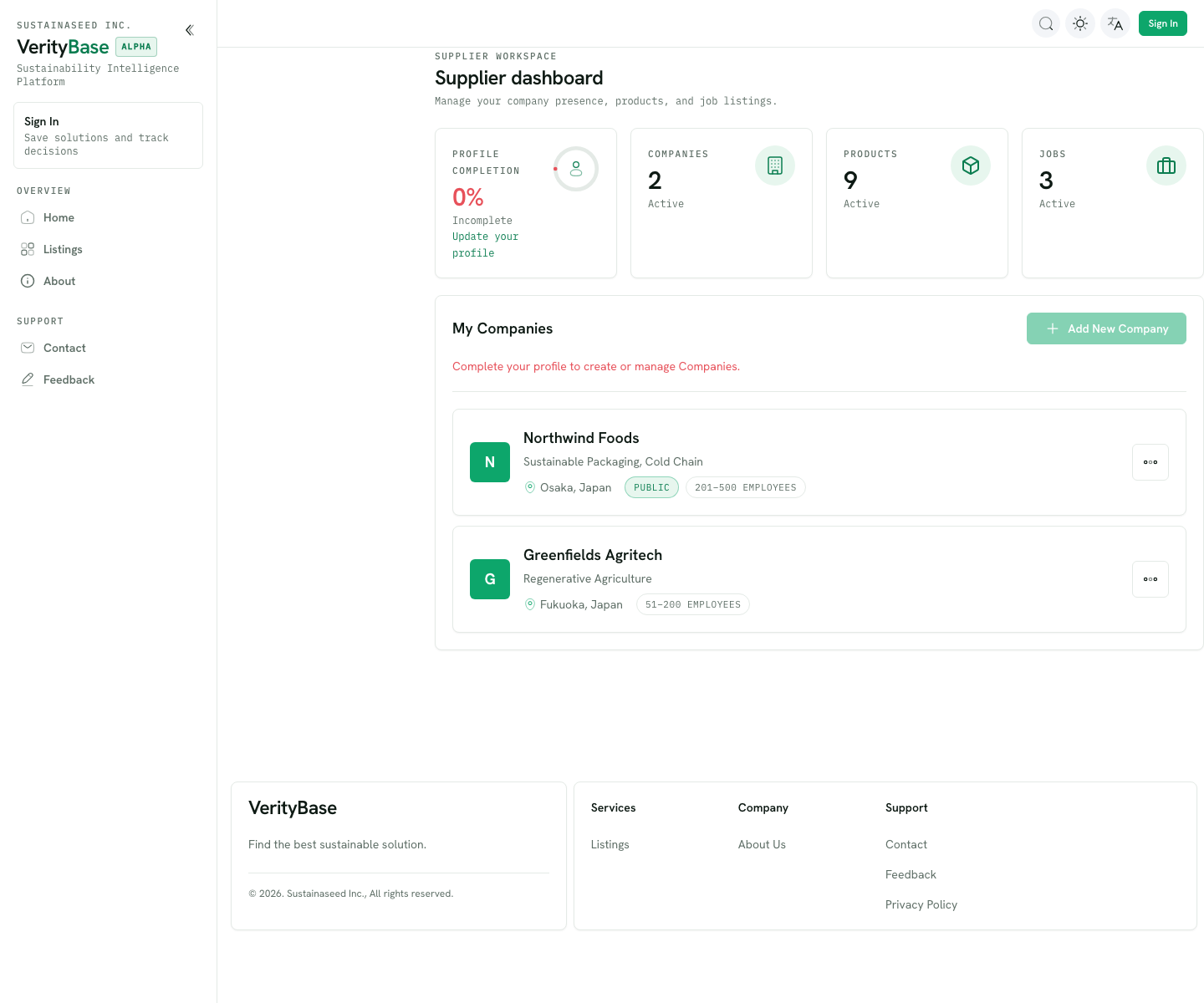
Your Supplier dashboard is where you manage your company presence, products, and job listings so Buyers can find you.
TIP
Screens show sample data; your dashboard shows your own companies and products.
Your dashboard at a glance
- Profile completion — keep this at 100%. You need a complete profile to create or manage companies, and fuller profiles match better.
- Companies, Products, Jobs — counts of your active listings, each a shortcut to manage them.
- My Companies — the companies you represent, with location, size, and visibility. Use Add New Company to add another.
Getting set up
- Complete your profile — this unlocks creating and managing companies.
- Add your company (or companies) with clear, accurate details.
- Add products with honest, evidence-backed descriptions.
- Keep claims specific and verifiable — see Trust & verification for why it matters to how you're matched and ranked.
How matching works
Buyers describe what they need; VerityBase matches your products against those needs and shows each with a match score and a trust label. Well-described, well-evidenced products surface more often and earn stronger trust labels.