Appearance
Account and settings
Use the account menu in the header for your profile, organization and notifications. The header's role selector shows only workspaces available to your account.
Your profile
Open your profile at veritybase.com/account/profile to update personal details. Security cards contain passkey and recovery-code controls when enabled. See signing in for sign-in methods and password reset. Theme and language controls are in the header.
Your organization
Open Organization. Buyer-workspace access and provider-company access are separate sections. If you manage several provider companies, select the correct company. Use the permitted invite and role controls; owners manage access and pending invitations. A company must retain an owner. Invitation links may require explicit acceptance; follow the actual email and invitation guide.
Project access is separate: a project's owner grants viewer, editor or owner access to existing accounts. Organization membership alone should not be taken as proof of access to every project. See projects.
To invite a teammate, enter their email in the correct access section, choose an allowed role, send the invitation and check the result. Owners can resend or revoke pending invitations. Seat limits or insufficient rights may prevent sending; follow the displayed message.
Notifications
Open notifications at veritybase.com/dashboard/notifications to read replies and announcements, mark items read and adjust available preferences. For a conversation, open its inquiry thread to reply.
Privacy, billing and deletion
See billing and privacy for plans, invoices, usage-data choices, consent history and permanent account deletion. Contact support if a permission or loading error prevents an update.
Two-factor authentication
If Two-factor authentication is offered in your profile, choose + Add authenticator app, scan or open the authenticator setup (or enter its setup key), enter the current six-digit code and select Verify & enable. On later sign-ins, enter the authenticator code when prompted. Keep recovery codes securely before relying on a single device.
Visual guide: set up your account
Complete your personal profile
English screen, translated caption. No account was created and no email was sent; signed-in examples use fictional demo data. A displayed form is not proof of completed authentication, verification or membership.
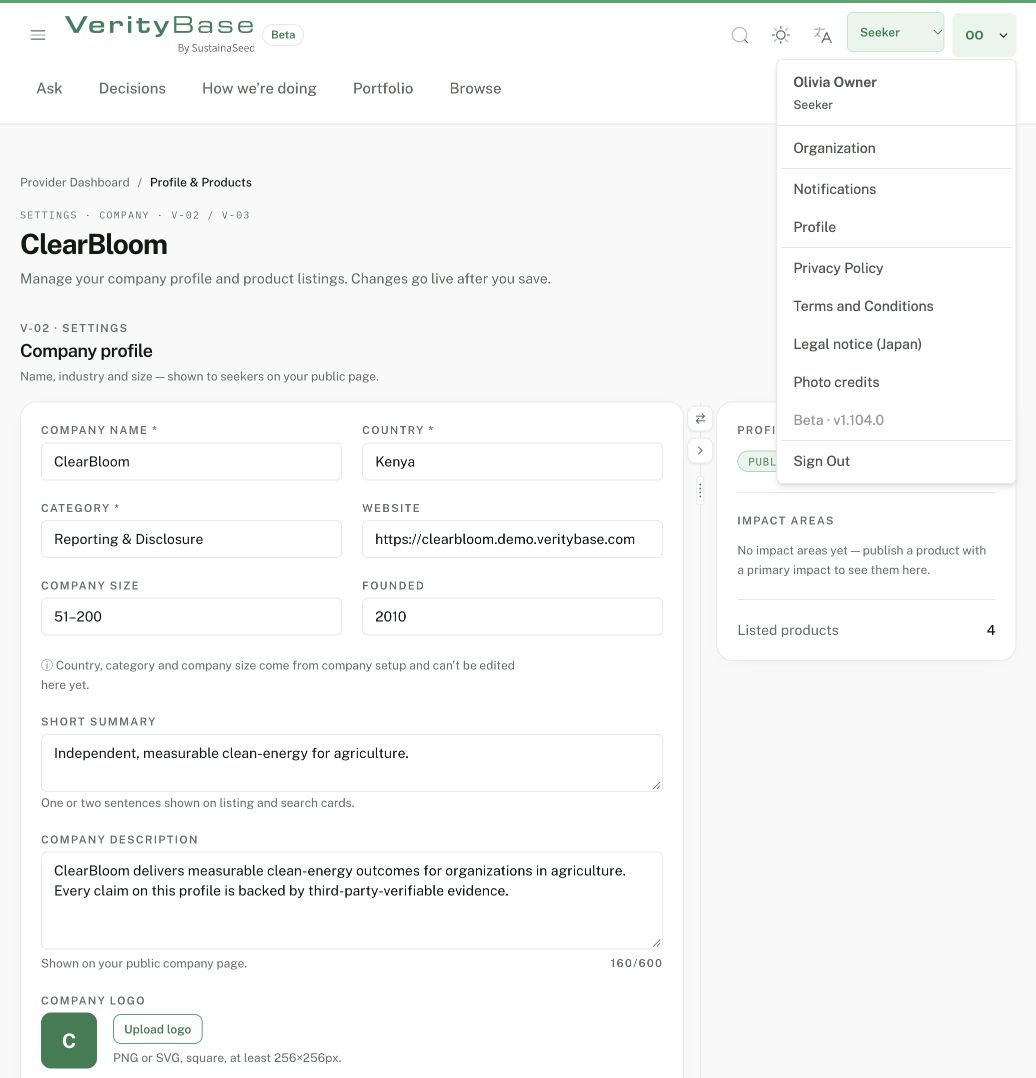
The avatar menu contains Organization and Profile.
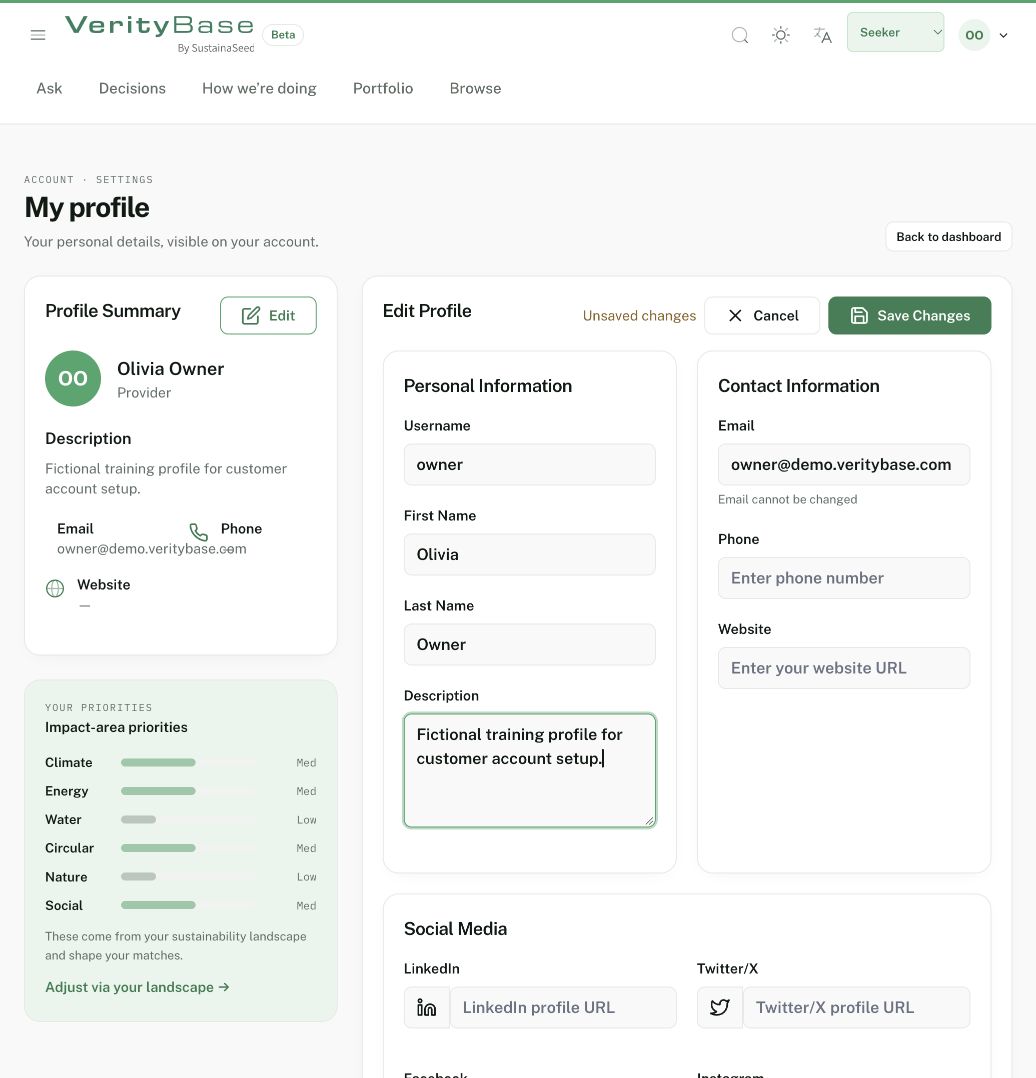
Profile editor shows unsaved training text and a disabled email field.
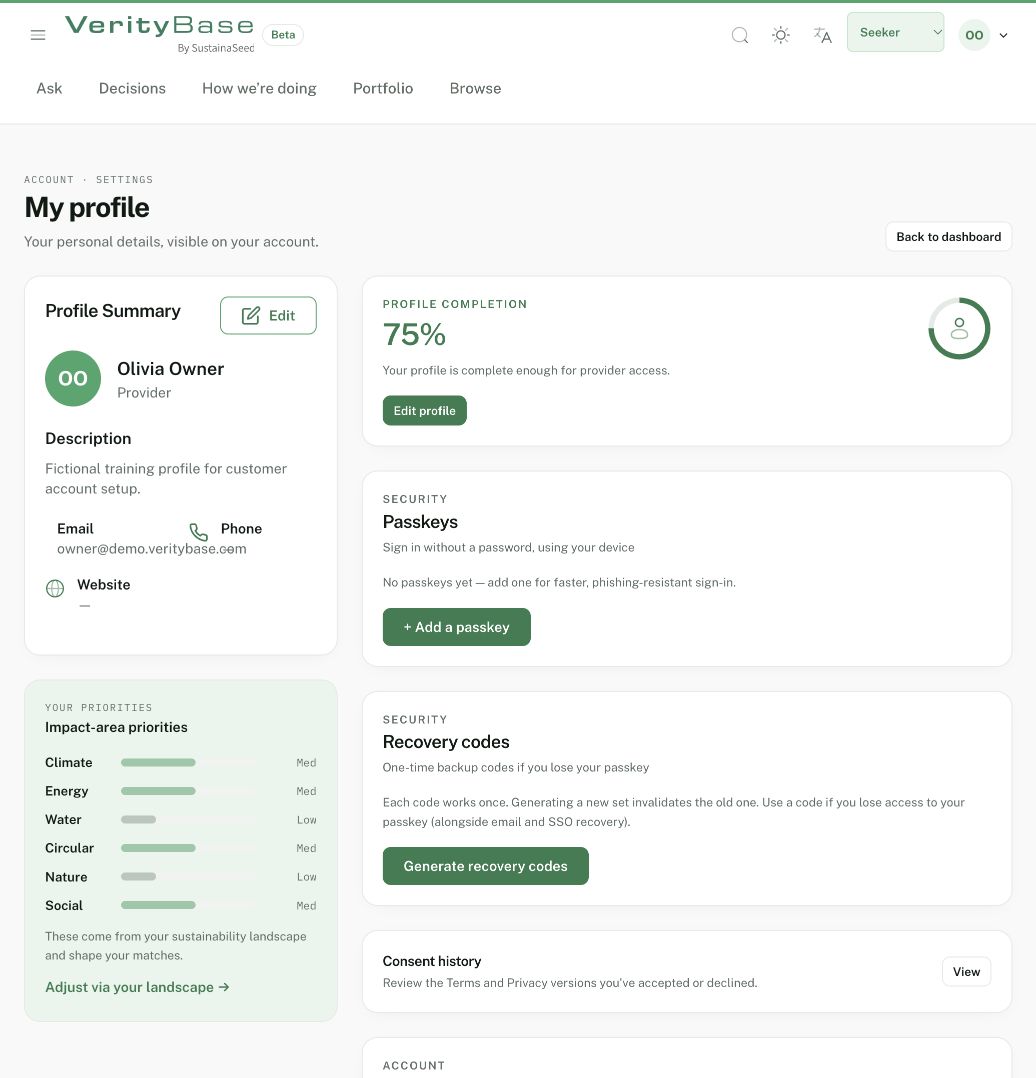
The fictional owner profile after saving the training description.