Appearance
Signing in
Open veritybase.com/auth/login. Use the sign-in methods actually shown for your account and browser:
- Email and password, including signup and email verification.
- Passkey, if enabled and supported.
- Email sign-in link.
- Google or organization sign-in, including Microsoft when offered.
- Recovery if you cannot access your usual method.
Joining a workspace? Follow the invitation instructions. If signup asks for an invite code, use your code or Don't have a code? Request access. Do not create another account to bypass a permission error.
Keep me signed in controls persistence on that browser. Untick it on a shared device and sign out when finished. After sign-in, complete any required setup or verification before entering your workspace.
Visual guide: set up your account
English screen, translated caption. No account was created and no email was sent; signed-in examples use fictional demo data. A displayed form is not proof of completed authentication, verification or membership.
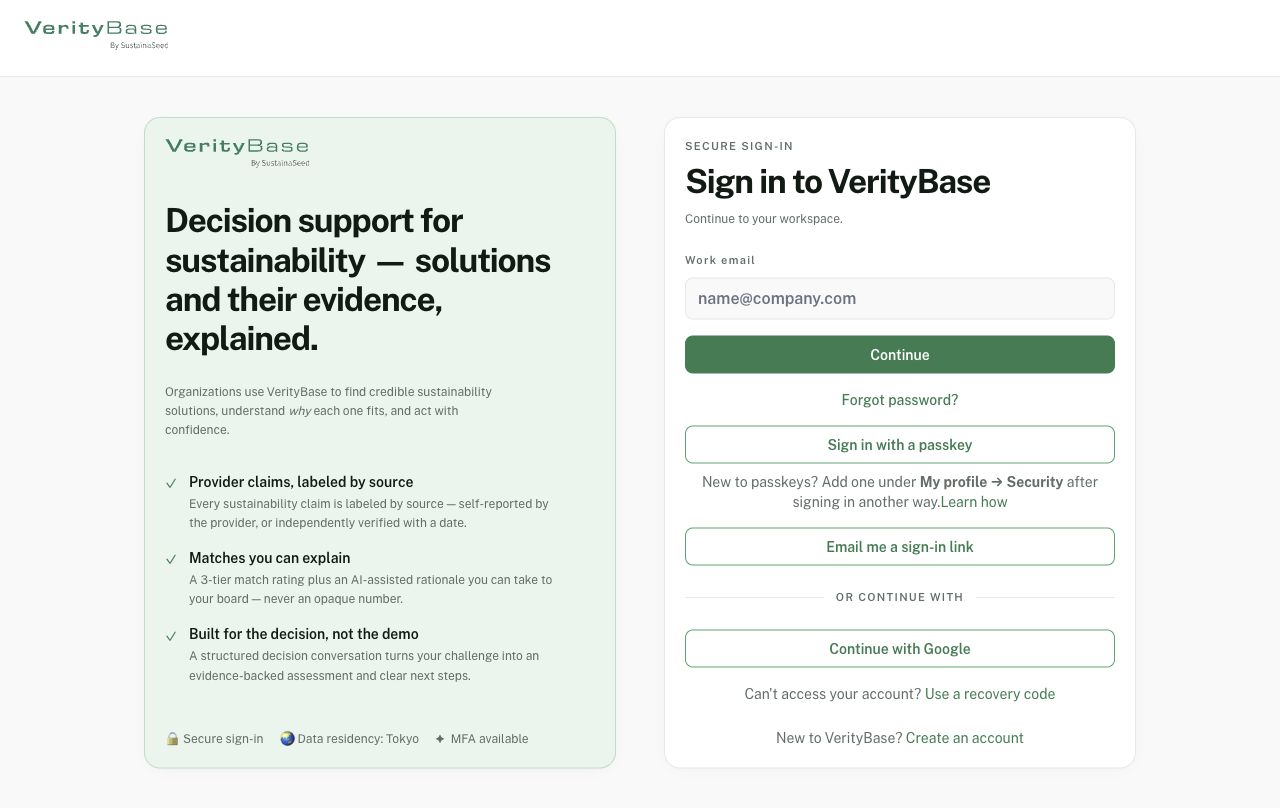
Sign-in methods offered on the released page; availability can vary.